Serious Sam: Shatterverse Tools Hub
Settings, FOV, and horde-performance notes for a UE5 Sam run.
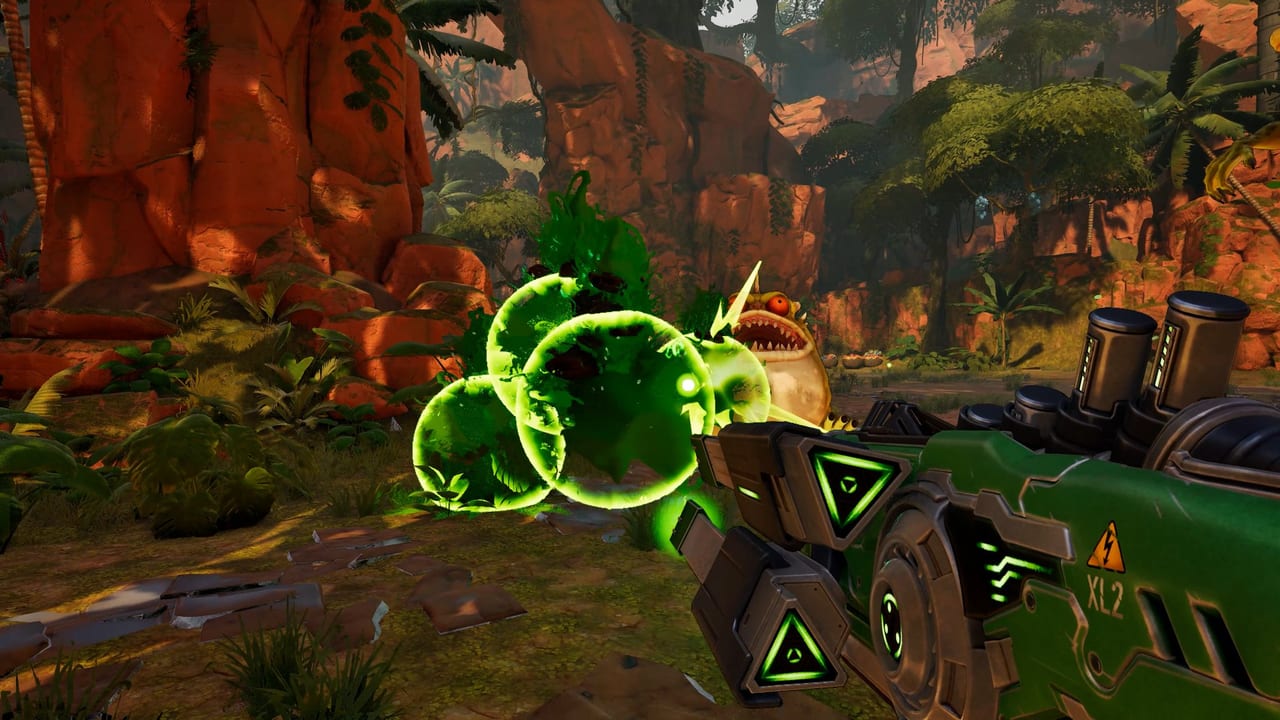
Why this hub exists
Serious Sam: Shatterverse is a 1–5 player co-op roguelite FPS from Behaviour Interactive and Devolver Digital. It launched on August 31, 2026 for Steam, PlayStation 5, Xbox Series X/S, Xbox Cloud Gaming, and the Microsoft Store with Xbox Play Anywhere. The loop throws dense hordes into Unreal Engine 5 arenas, so the first practical job after install is not a boss guide — it is making the client readable and stable.
This page is the settings and performance desk. Use it to pick a graphics target, hunt FOV, and decide whether your machine should even attempt High at 1080p. When you need the raw numbers, open the system requirements table. When you need the gun in your hands, jump to getting started and controls. The twenty Steam and Xbox achievements — lieutenant kills, 10,000 enemies, all five ultimates, SBC Cannon — live on the achievements page.
Video settings that actually matter
Steam lists two official PC targets: 1080p Low at 30 FPS on the minimum spec, and 1080p High at 60 FPS on the recommended spec. DirectX 12 is required on both. There is no published Vulkan or DirectX 11 fallback, so if the executable refuses to start, update GPU drivers and confirm Windows is 64-bit.
Start on the quality preset closest to those targets, then change one expensive bucket at a time:
- Resolution and window mode. Borderless windowed is the least painful for alt-tabbing out of a co-op lobby. Exclusive fullscreen can add a few frames on older cards.
- Shadows and effects. Horde shooters spend GPU time on overlapping lights, particles, and debris. Drop these before you drop texture quality.
- Draw distance and foliage. Jungle and temple arenas fill the frustum with geometry. Cutting them helps more than another anti-aliasing tick.
- VSync and a frame cap. If the host hitches when Kleers pack the screen, cap a little under your refresh rate so peer-to-peer clients are not eating a sawtooth frame time.
The recommended GPU — GeForce RTX 2080 or Radeon RX 7600 — is a loud hint. A stylized $19.99 shooter asking for a 2018 Nvidia flagship at 1080p High 60 FPS is paying for Unreal Engine 5 plus hundreds of simultaneous enemies, not for photoreal skin pores. If you sit between minimum and recommended, play at 1080p Medium and keep the weapon guide and builds guide readable instead of chasing 120 FPS on a card that was never the 60 FPS target.
Field of view
Behaviour has not published a confirmed default or maximum FOV in the Steam FAQ or the launch notes. Do not assume Serious Engine values from older Sam games apply here. Open the in-game video menu after the first boot and check every graphics page for a field-of-view or camera slider. If the slider is missing on your build, stay at the default and revisit after a patch — inventing console commands from other UE5 titles is a good way to desync a co-op run.
A wider FOV helps you see bomb-carrying enemies at the edge of an arena. It also costs GPU fill rate. Raise it only after the frame rate is already stable, and pair it with the movement options on the controls page so mouse feel still matches the new frustum.
CPU, hosting, and voice
Minimum CPU is an Intel Core i7-6700 or AMD Ryzen 5 2500U. Recommended is an Intel Core i7-11800H or Ryzen 5 5600X. Those chips are doing AI, animation, and peer-to-peer netcode while the GPU draws the horde. If FPS collapses only when five Sams stack in one arena, you are CPU bound: lower simulation-adjacent settings, close overlays, and let the player with the strongest uplink host.
Launch-week Steam reviews called out forced open-mic voice and missing push-to-talk. Before you blame keybinds, open audio and network menus and disable in-game voice if your group already uses Discord. The official Serious Sam series Discord — linked from the Steam store page, not from a random invite pasted on this wiki — is the right place to confirm whether a toggle shipped.
Steam Cloud is listed. Do not delete local saves until a cloud icon has actually synced. The install is only 10 GB, but that does not make cloud writes instant, and a mid-run crash still hurts more than a reinstall.
After the client is stable
Read the launch notes so you know which playtest changes already shipped: unique Sam modifiers, the M1A2 Thompson range buff, removed random base-stat generation, affix scaling by rank, Retro Sam’s one-second decoy delay, unlimited vending-machine health, and tougher Kleers. Then take a first run on Serious, not Shattered, and keep the review handy if you are still deciding whether the Mixed Steam score matches your hardware.
Console players on PlayStation 5 and Xbox Series X/S skip the PC preset dance, but they still share the same peer-to-peer sessions. If a friend on Xbox Cloud Gaming or a Microsoft Store Play Anywhere install is the host, treat their connection like a dedicated box even though Behaviour did not ship dedicated servers. When a patch lands, it will show up first on the updates hub. Until then, this Tools Hub is the place to keep the plasma readable and the frame time honest.
Frequently Asked Questions
Quick answers to the most common Shatterverse questions.
Where is the FOV slider in Serious Sam: Shatterverse?
Behaviour has not published a confirmed FOV value. Open the in-game video menu and check every graphics page. If no slider is there, stay on the default until a patch.
Does the minimum PC spec mean 60 FPS?
No. Steam's minimum target is 1080p Low at 30 FPS. The 60 FPS target is 1080p High on the recommended spec. See the system requirements table.
Why is an RTX 2080 listed for 1080p High?
The game is Unreal Engine 5 with horde densities that stress GPU and CPU together. A 2018 flagship at 1080p is a warning, not a flex. Drop shadows and effects before you drop resolution.
Is Serious Sam: Shatterverse verified on Steam Deck?
Valve had not published a verified Steam Deck rating at launch. Treat Deck as unknown, and compare your APU against the system requirements instead of assuming it will hold 30 FPS.
Who should host a co-op run?
The player with the strongest CPU and the most stable uplink. Multiplayer is peer-to-peer. Read the co-op guide before you start a five-Sam lobby on a laptop minimum spec.
Where do I go after settings are stable?
Start with getting started, then controls. Patch context lives on the launch notes.